> ## Documentation Index
> Fetch the complete documentation index at: https://docs.patched.codes/llms.txt
> Use this file to discover all available pages before exploring further.
# Patchflow Builder
> Customize and create patchflows to automate tasks
Click the `Patchflows` button on the top menu to see a list of default patchflows that you can use with your repositories. You can view the patchflow graph by clicking on the `View Patchlow` icon in green.
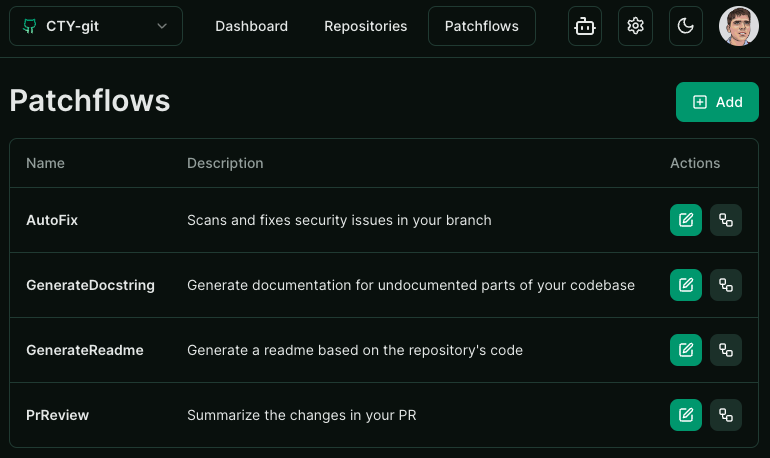 To edit a default patchflow, you must first duplicate it. Click on the `Duplicate Patchflow` icon to create a copy of the patchflow. You can then customize the duplicated patchflow by click the `Edit Patchflow` icon.
You can also create a completely new patchflow by clicking on the `Add Patchflow` button on the top right.
## Creating and Customizing Patchflows
The patchflow builder provides a drag-and-drop interface for you to build your automations. You can choose from the list of components on the left and click them bring them on the canvas where they can connected to other components by joining their outputs to inputs.
To edit a default patchflow, you must first duplicate it. Click on the `Duplicate Patchflow` icon to create a copy of the patchflow. You can then customize the duplicated patchflow by click the `Edit Patchflow` icon.
You can also create a completely new patchflow by clicking on the `Add Patchflow` button on the top right.
## Creating and Customizing Patchflows
The patchflow builder provides a drag-and-drop interface for you to build your automations. You can choose from the list of components on the left and click them bring them on the canvas where they can connected to other components by joining their outputs to inputs.
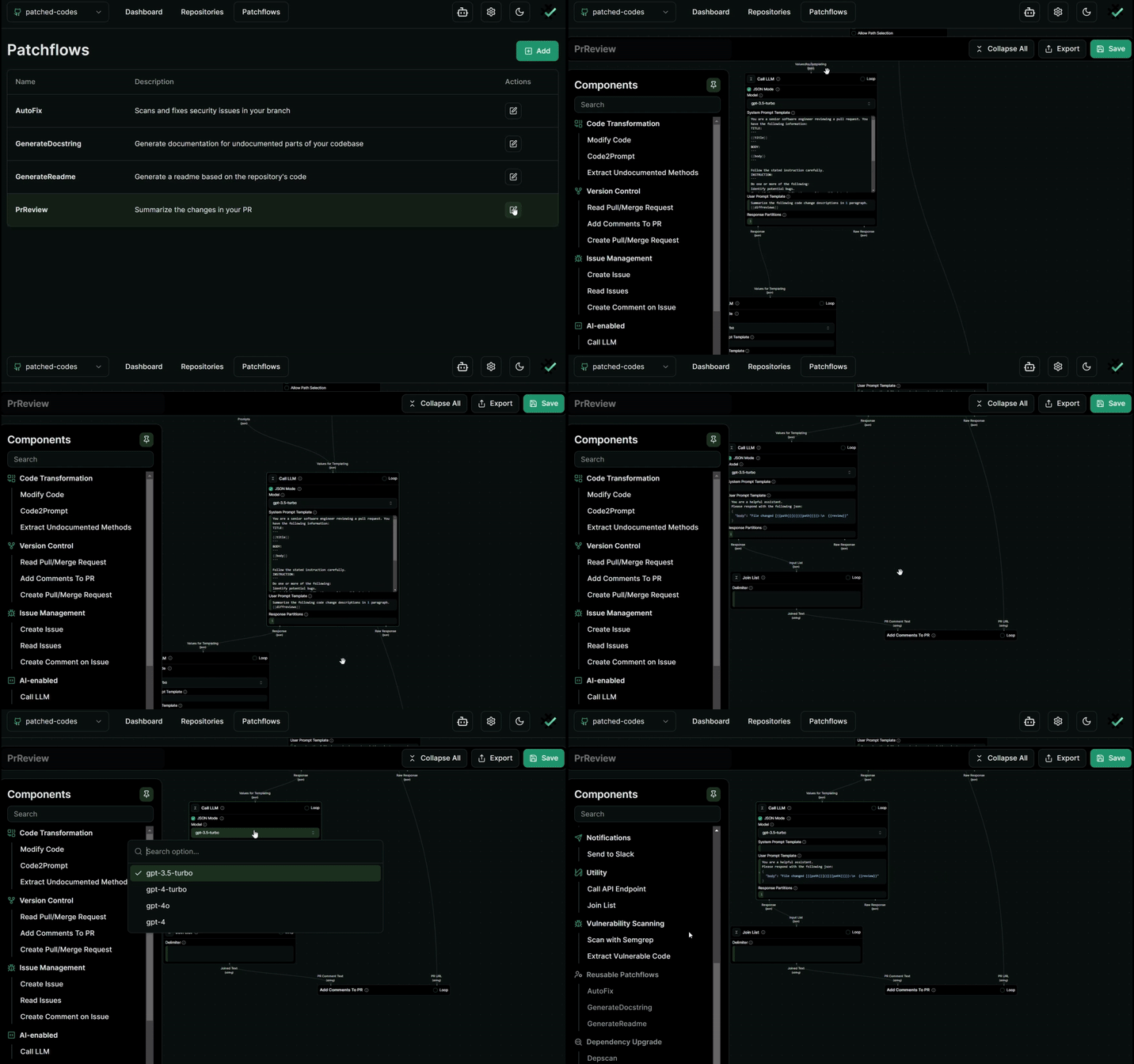 You can find detailed instructions on how to create and customize patchflows in the [Creating Patchflows](/patchflows/step1) section.
If you run into issues or need help, please join our [discord](https://discord.gg/XDxA3mJyhE) and post your query - we generally respond almost immediately.
You can find detailed instructions on how to create and customize patchflows in the [Creating Patchflows](/patchflows/step1) section.
If you run into issues or need help, please join our [discord](https://discord.gg/XDxA3mJyhE) and post your query - we generally respond almost immediately.